
Paint Shop does not have one Model Y file. Tesla publishes a separate wrap template for each official variant, and TeslaWrap.NET mirrors that split with five vehicle hubs. If you export a wrap on Model Y (2025+) Premium and upload it to an older Model Y, the file can still pass size and PNG checks. The door artwork then lands on the wrong island. Alignment is a template choice, not a later crop.
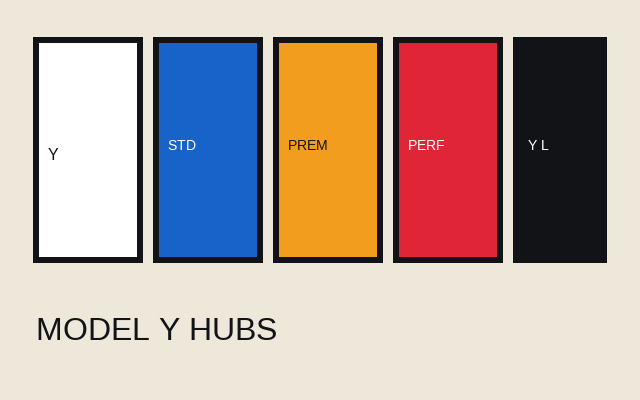
The five Model Y hubs on TeslaWrap.NET
Use the official hub name, the URL slug, and the TeslaWrap.NET note. Those are the facts the vehicle centers publish. A photo of a parked car is a poor way to pick a hub, and resizing a PNG from one hub does not make it fit another. Every Model Y template here is already 1024 x 1024.
| Hub name | Path | Template | TeslaWrap.NET note |
|---|---|---|---|
| Model Y | /tesla/modely | 1024 x 1024 | Pre-2025 Model Y body. Different door and quarter panel layout. |
| Model Y (2025+) Standard | /tesla/modely-2025-base | 1024 x 1024 | 2025 Standard trim. Same shell as Premium, different trim cutouts. |
| Model Y (2025+) Premium | /tesla/modely-2025-premium | 1024 x 1024 | The 2025 refresh template, also called Juniper in owner questions. |
| Model Y (2025+) Performance | /tesla/modely-2025-performance | 1024 x 1024 | Performance body kit adds a rear spoiler region to the template. |
| Model Y L | /tesla/modely-l | 1024 x 1024 | Long-wheelbase six-seat body with an extra rear door section. |
How to tell which hub you need
Match the name TeslaWrap.NET prints on the hub to the car you will upload into. The Model Y hub is the pre-2025 sheet. The three Model Y (2025+) hubs — Standard, Premium, and Performance — are the refreshed Juniper family. Model Y L is its own long-wheelbase sheet. TeslaWrap.NET does not convert one of those layouts into another by changing resolution, because the pixel size is already the same.
Model Y (2025+) Standard shares a shell with Premium on TeslaWrap.NET and still uses a different trim-cutout layout, so those two hubs are not interchangeable. Model Y (2025+) Performance adds a rear spoiler region to the template. If the Tesla app lists your car as a 2025+ Performance, open that hub, not Premium. If it lists Standard, open Standard.
Model Y (2025+) Premium is the default vehicle on TeslaWrap.NET and the 2025 refresh template owners usually mean when they say Juniper. Start there only when that is the car you drive. A wrap from the Premium hub will not align on the older Model Y sheet or on Model Y L, even though every file is a square 1024 x 1024 PNG no larger than 1 MB.
How to pick the right Model Y template
- 1
Read the official variant name
In the Tesla app, open the vehicle and note the model line Tesla shows. Then match that line to one of the five hub names above. TeslaWrap.NET labels hubs with the official template names, not with marketing nicknames alone.
- 2
Open that vehicle hub
Go to the matching /tesla/{slug} page. The hub states the template size, 1024 x 1024 for every Model Y variant, and shows designs already fitted to that sheet. Confirm the name in the heading before you export anything.
- 3
Preview a fitted wrap in 3D
The hub gallery is thousands of hand-picked designs already cut to this template. Preview does not need an account. Rotate the 3D view and check whether stripes survive the doors and whether the spoiler or extra rear door region is part of this sheet.
- 4
Keep the same variant selected when you export
On the homepage designer, PNG Converter, or the Fit Tool, select the same Model Y variant as the hub. The Fit Tool is free and needs no account. The first PNG Converter download each Pacific Time (Los Angeles) day is free after you sign in. After that, each new download uses 3 credits. Downloading the same result again does not. Open the PNG Converter page to read how it works. Sign in to generate. Generating and previewing do not use credits.
- 5
Upload that PNG in Paint Shop
Save the file, then Creations, Wrap, Upload in the Tesla app, or copy it into a USB Wraps folder. Tesla app 4.59.0 or newer. If Wrap or Upload is missing in Creations, update the Tesla app and the car's software to the latest release. The wrap changes the on-screen car, not the physical paint.
Why the same size still misaligns
A wrap template is a set of opaque panel islands on a transparent background. TeslaWrap.NET notes a different door and quarter panel layout on the pre-2025 Model Y, different trim cutouts on 2025+ Standard versus Premium, a rear spoiler region on 2025+ Performance, and an extra rear door section on Model Y L. Those islands do not move when you scale the PNG. If a graphic crosses a gap between islands, it splits on the car.
The Fit Tool is free and needs no account. Use it when you want to drag artwork onto the dashed islands for the variant you picked and see which panels stay visible. PNG Converter is the other path: it stretches a full image to this vehicle canvas, then cuts the official mask. The first PNG Converter download each Pacific Time (Los Angeles) day is free after you sign in. After that, each new download uses 3 credits. Downloading the same result again does not.
If you would rather start from a finished layout than from a blank sheet, browse thousands of hand-picked designs on TeslaWrap.NET and filter to the Model Y hub you opened. Preview does not need an account. A library wrap needs a signed-in account and a preference vote before it can be downloaded.