
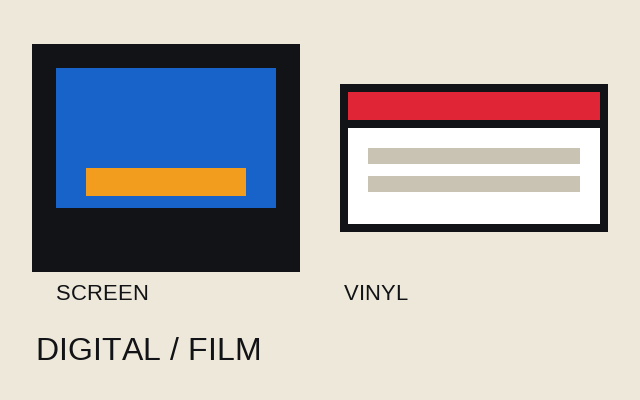
Digital Paint Shop wraps only change the vehicle rendering in the Tesla app and on the car screen. They are not a physical vinyl wrap or a paint job. Owners searching for a Tesla wrap often mean both things at once: a new look they can apply this afternoon, and a physical film a shop would heat, stretch, and squeegee onto painted metal. Those are different products, different files, and different risks. TeslaWrap.NET only does the first.
What a digital Paint Shop wrap is
Paint Shop is the Tesla visualization of your car. A custom wrap PNG is a texture for that visualization. You upload it from the Tesla app (Creations, then Wrap, then Upload) or load it from a USB drive with a top-level Wraps folder. The touchscreen car changes. The app car changes. The metal, glass, and factory paint do not. People sometimes call that on-screen car an avatar; the file is still just a Paint Shop PNG.
The PNG has to match an official template Tesla publishes: panel-shaped islands, square 512 to 1024 pixels for most cars, 1024 x 768 for Cybertruck from the official template files in teslamotors/custom-wraps cybertruck/, no larger than 1 MB, filename of 30 characters or fewer. TeslaWrap.NET writes that kind of file. It does not write a print-ready vinyl plot, a panel-by-panel measurement set, or a color formula for a paint booth.
What a vinyl wrap is
A vinyl wrap is adhesive film applied to the physical body. A shop needs panel dimensions, overlap, relief for handles and cameras, and a print file built for that film width. The work happens in a bay. The result is outside in daylight. Removing it is a separate job. Paint Shop is a different thing from that work, and TeslaWrap.NET exports only Paint Shop PNGs, never film files.
| Topic | Digital Paint Shop wrap | Physical vinyl wrap |
|---|---|---|
| Where you see it | Car screen and Tesla app rendering | Painted metal, trim, and sometimes glass |
| File TeslaWrap.NET gives you | Official-template PNG for Paint Shop | TeslaWrap.NET does not produce a vinyl shop file |
| Who applies it | You, from the Tesla app or a USB Wraps folder | A wrap shop or a skilled owner with film, heat, and time |
| Reversible | Select the factory color in Paint Shop | The film has to be removed from the body |
| What changes on the street | The physical car is unchanged | The exterior finish people see in parking lots |
How to get a digital wrap on TeslaWrap.NET
- 1
Decide you want the on-screen car, not film
If you need the physical body covered, stop here and talk to a vinyl shop. If you want Paint Shop, continue on TeslaWrap.NET.
- 2
Pick the official variant
Open the hub for the car you drive, such as Model Y (2025+) Premium. Twelve official template variants are supported. The wrong variant still uploads and still sits on the wrong panels.
- 3
Make or convert a PNG
Browse thousands of hand-picked designs, generate on the homepage designer, convert a full-sheet image on PNG Converter, or place your own graphic with the Fit Tool. The Fit Tool is free and needs no account.
- 4
Preview the visualization
Use the 3D preview on the gallery, PNG Converter, or the designer. You are checking the on-screen car, which is the only surface this PNG will ever cover.
- 5
Upload in Paint Shop
Save the PNG, then Creations, Wrap, Upload in the Tesla app, or copy it into a USB Wraps folder. Tesla app 4.59.0 or newer. If Wrap or Upload is missing in Creations, update the Tesla app and the car's software to the latest release.
Where TeslaWrap.NET stops
TeslaWrap.NET is an independent project, not affiliated with Tesla, Inc. The site is built so an owner can go from an idea to a file Paint Shop accepts: AI generation on the homepage, a gallery of thousands of hand-picked designs, a Fit Tool, and a PNG Converter. The Fit Tool is free and needs no account. Preview does not need an account. A library wrap needs a signed-in account and a preference vote before it can be downloaded.
The Fit Tool is free and needs no account. PNG Converter is a different tool: it stretches an image to the vehicle canvas, then cuts the official template. Generating and previewing on PNG Converter do not spend credits. The first PNG Converter download each Pacific Time (Los Angeles) day is free after you sign in. After that, each new download uses 3 credits. Downloading the same result again does not. These tools export Paint Shop PNGs, not vinyl.
Credit packs on TeslaWrap.NET are one-time Standard, Premium, and Performance purchases at $4.99, $9.99, and $29.99. They pay for AI generation (10 credits per image) and refine (8 credits per image), and for PNG Converter downloads after the Pacific Time (Los Angeles) daily free download. They are not a deposit for a physical wrap.