
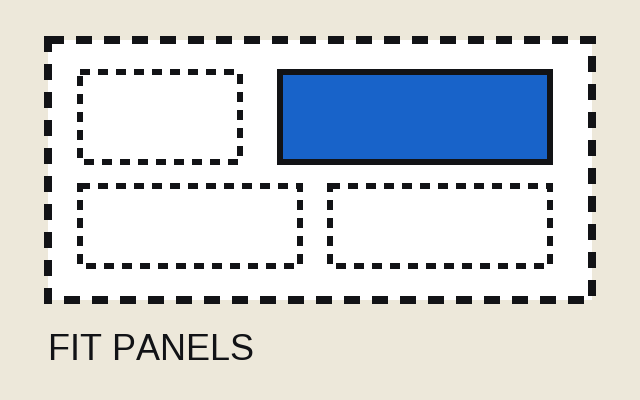
The Fit Tool is free and needs no account. It exists for a narrow job: you already have a graphic, and you want that graphic sitting on a real body panel in Tesla Paint Shop, not smeared across the whole car. TeslaWrap.NET loads the official template for the variant you pick, draws the panel islands as dashed outlines, and lets you place the picture by hand.
Why a wrap template is not a picture of a car
The official sheet is a set of opaque islands on a transparent background. A door is one island. The hood is another. The roof is another. Anything you leave outside an island is alpha zero, so it does not render on the visualization. That is why a photo of a parked Tesla is a poor source: most of the pixels sit in glass, wheels, and empty space that the template will throw away.
Fit is built so you can see those islands while you work. Drag the image until it snaps toward a panel centre. Scale it so the graphic fills the island you care about. Rotate it if a stripe should follow the panel. The export is already the template size the Tesla app expects: 1024 x 1024 on most cars, 1024 x 768 on Cybertruck, with a short filename.
How to fit artwork on TeslaWrap.NET
- 1
Choose the official variant
Open the Fit Tool, which is free and needs no account, and pick the Tesla you drive. Model Y (2025+) Premium, Model Y L, and the older Model Y are different sheets. Alignment only holds when the template matches the car.
- 2
Load the image
Choose a file from the camera roll or disk. The picture is read into the browser canvas. It is not uploaded, and the page does not create an account. A toast confirms the file stays on this device.
- 3
Drag onto a dashed panel
The dashed outlines are the real body-panel islands from the official template. Drag the artwork over a panel until it snaps. Artwork left in the gaps will be transparent on the car.
- 4
Scale and rotate
Use the scale slider (0.10x to 3.00x) and the rotation slider (−180° to 180°) until the graphic fills the island. Reset returns the image to the centre of the sheet if you overshoot.
- 5
Export the PNG
Export writes a PNG at the selected vehicle's official size. The default name is short, in the form TW_MyPhoto_1024.png, so Paint Shop does not reject it for length. Keep the file; do not screenshot the canvas.
| Topic | Fit Tool | PNG Converter |
|---|---|---|
| Account | Free, and it needs no account | Sign in to generate |
| Where the image lives | Stays in the browser | Result is saved on your TeslaWrap.NET account |
| Layout | You align artwork on panel islands by hand | The image is stretched to the canvas, then cut to the official template |
| Credits | 0 credits | Generate and preview spend none. First Pacific Time (Los Angeles) day download is free after you sign in, then 3 credits per new download |
| Best when | A logo or graphic should sit on one panel | A full-sheet image should cover the car |
Open PNG Converter when you want a full-sheet image stretched to the canvas and cut to the official mask, instead of placing one graphic by hand.
How to align artwork across vehicle surfaces
Alignment is a template problem before it is an art problem. Each official variant has its own UV layout. If you fit a graphic on Model Y (2025+) Premium and upload that PNG to an older Model Y, the islands do not match, even when the pixel size is 1024 x 1024. Start from the hub for your car, then keep that same variant selected in the Fit Tool, which is free and needs no account.
On a single sheet, a graphic that spans two islands will split at the gap between them. That split is real on the car. If you want a door mark and a matching fender mark, place and export once per island, or keep the motif inside one panel. Flat logos and high-contrast shapes read after Paint Shop lighting. Soft photographs usually do not.
What the export already satisfies
The Fit Tool is free, needs no account, and writes a PNG no larger than 1 MB at the template size, with transparency in the holes Tesla published. Last verified 2026-11-12 against teslamotors/custom-wraps@86c7d31. You still need Tesla app 4.59.0 or newer. If Wrap or Upload is missing in Creations, update the Tesla app and the car's software to the latest release to upload from the phone. The wrap changes the on-screen car, not the physical paint.
If you do not want to place a graphic yourself, the gallery has thousands of hand-picked designs already fitted to official templates, with a 3D preview. Preview does not need an account. A library wrap needs a signed-in account and a preference vote before it can be downloaded.